
Review an evaluation and send it to the employee
In Weplanify, when the HR review is on, each evaluation filled in by a manager waits for your go-ahead before it is sent to the employee concerned.
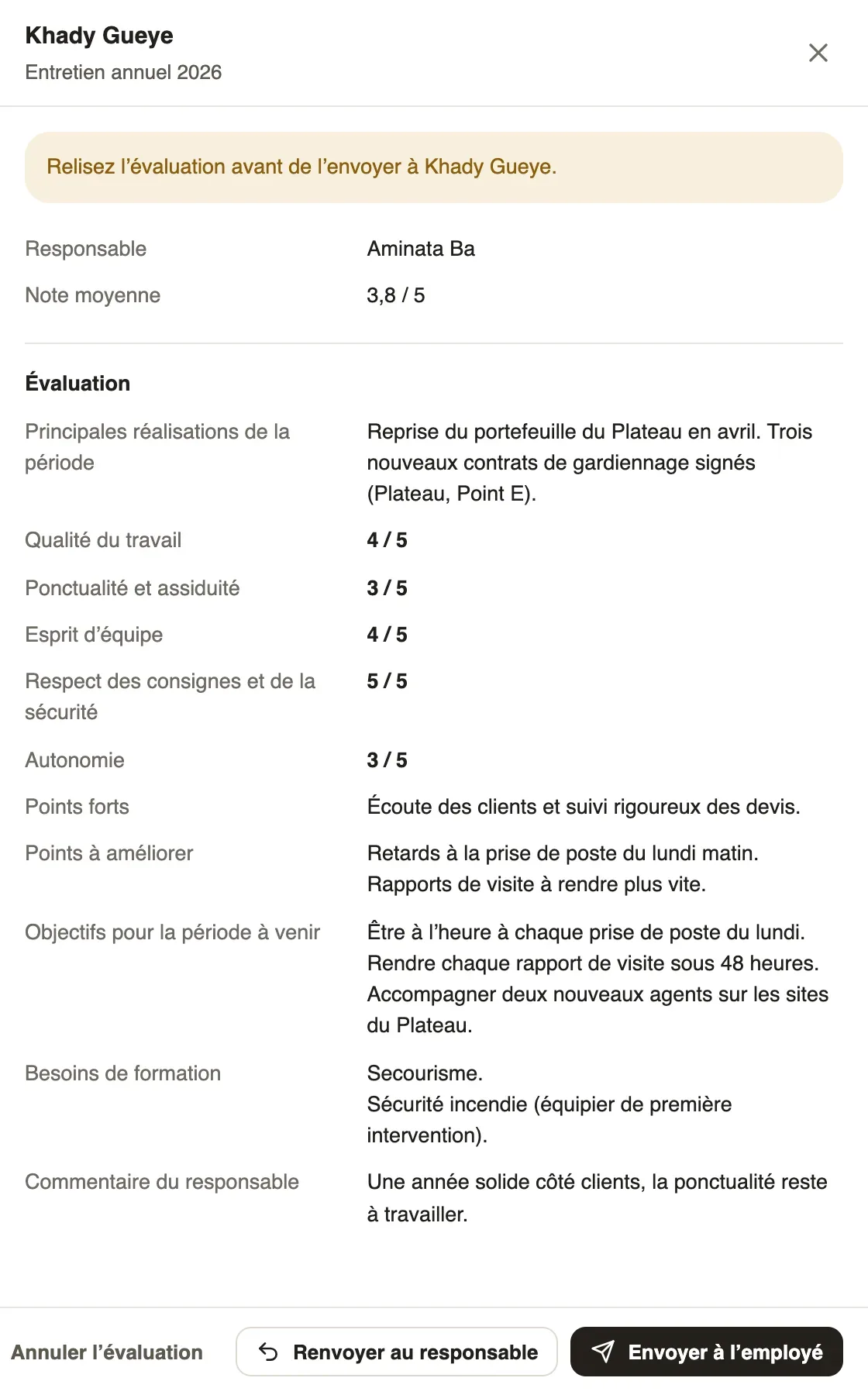
In Weplanify, a campaign with HR review before the employee keeps each filled-in evaluation in the To review status. The employee only sees it once sent.
Steps
- In the campaign's Follow-up tab, filter on To review and click an evaluation.
- Read the Average rating and the manager's answers.
- If all is right, click Send to the employee, then confirm: they are told.
- Otherwise, click Send back to the manager: they can change the evaluation and send it again.
Good to know
- Administrators are told about each evaluation to review.
- Without review, the evaluation goes straight to the employee as soon as the manager sends it.
- Cancel the evaluation removes it from the campaign.
- Next: what the employee sees.
Go further
Read your evaluationIn Weplanify, the employee is told when their evaluation is ready and reads it on the web: ratings, the manager’s answers and any trial decision.Follow a campaign and remind managersIn Weplanify, the Follow-up tab of a campaign shows each manager’s progress, late evaluations and signatures, and reminds them in one click.