
Follow a campaign and remind managers
In Weplanify, the Follow-up tab of a campaign shows each manager’s progress, late evaluations and signatures, and reminds them in one click.
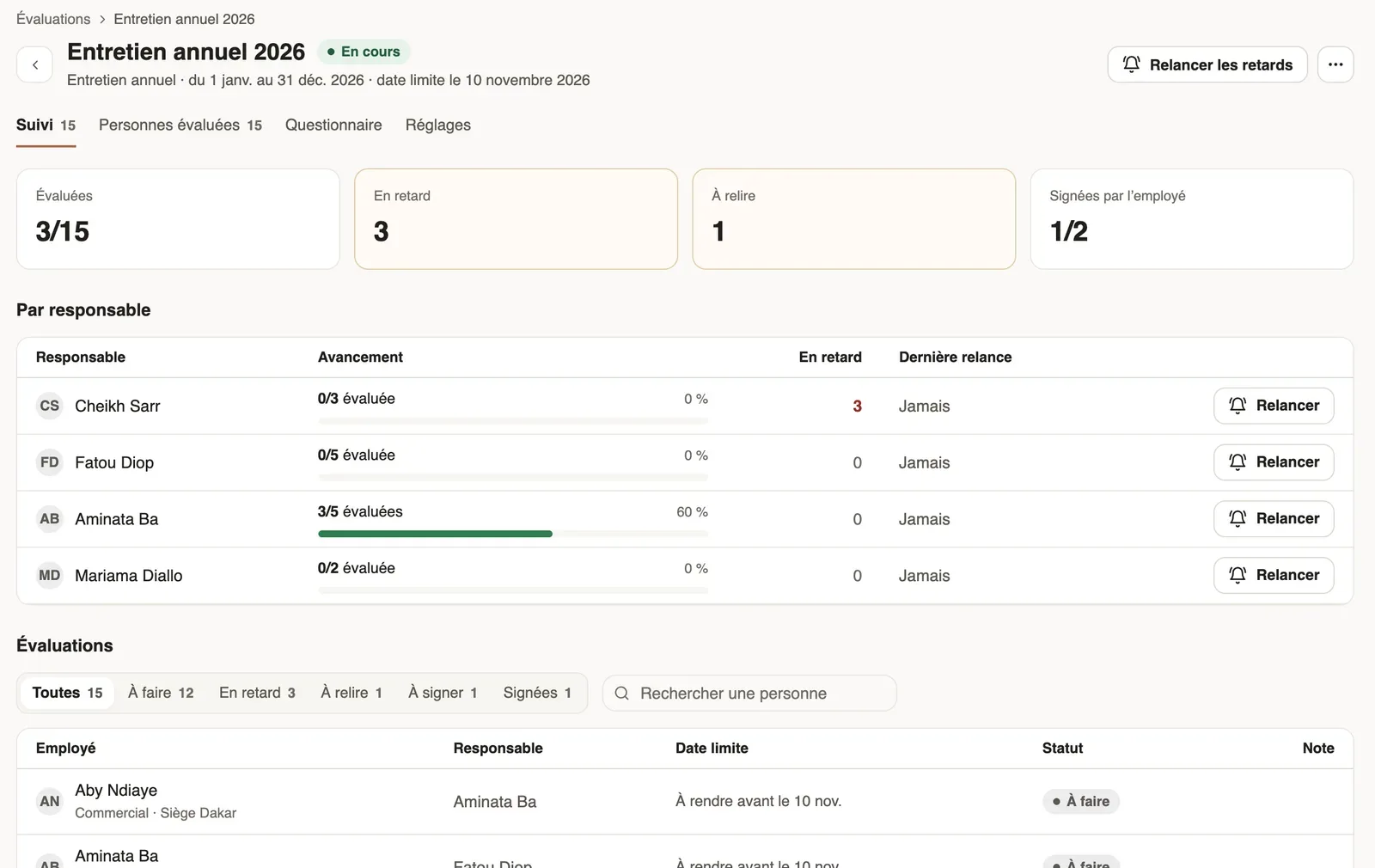
In Weplanify, a launched campaign opens on the Follow-up tab: four figures, the progress by manager and the list of evaluations.
Steps
- Open the campaign from Requests → Evaluations.
- Read the Evaluated, Late, To review and Signed by the employee figures.
- Under By manager, click Remind to tell a manager; Remind late ones, at the top, tells all those past the deadline.
- Under Evaluations, filter by status (To do, Late, To review, To sign…) or search a person, then click a row to open their evaluation.
Good to know
- A manager can be reminded only once every 24 hours. Automatic reminders also go 7 and 2 days before the deadline, then the day after.
- The panel of an evaluation to do offers Remind, Change the manager, Evaluate in their place or Cancel the evaluation.
- An evaluation To review waits for your review (review and send).
- Close the campaign, in the ⋯ menu, stops the remaining evaluations from being filled in; Reopen undoes it.
Go further
Review an evaluation and send it to the employeeIn Weplanify, when the HR review is on, each evaluation filled in by a manager waits for your go-ahead before it is sent to the employee concerned.Follow trial ends and annual reviewsIn Weplanify, the Evaluations module follows the ends of trial periods and runs annual reviews, from the manager who evaluates to the employee.