
Follow the ends of trial periods
In Weplanify, each end of trial period written on a contract arrives on its own in the follow-up, with an evaluation asked from the manager in time.
In Weplanify, an end of trial is followed as soon as its date is on the contract (create or edit a contract). Thirty days before, the evaluation is asked from the employee's manager, who is told.
Steps
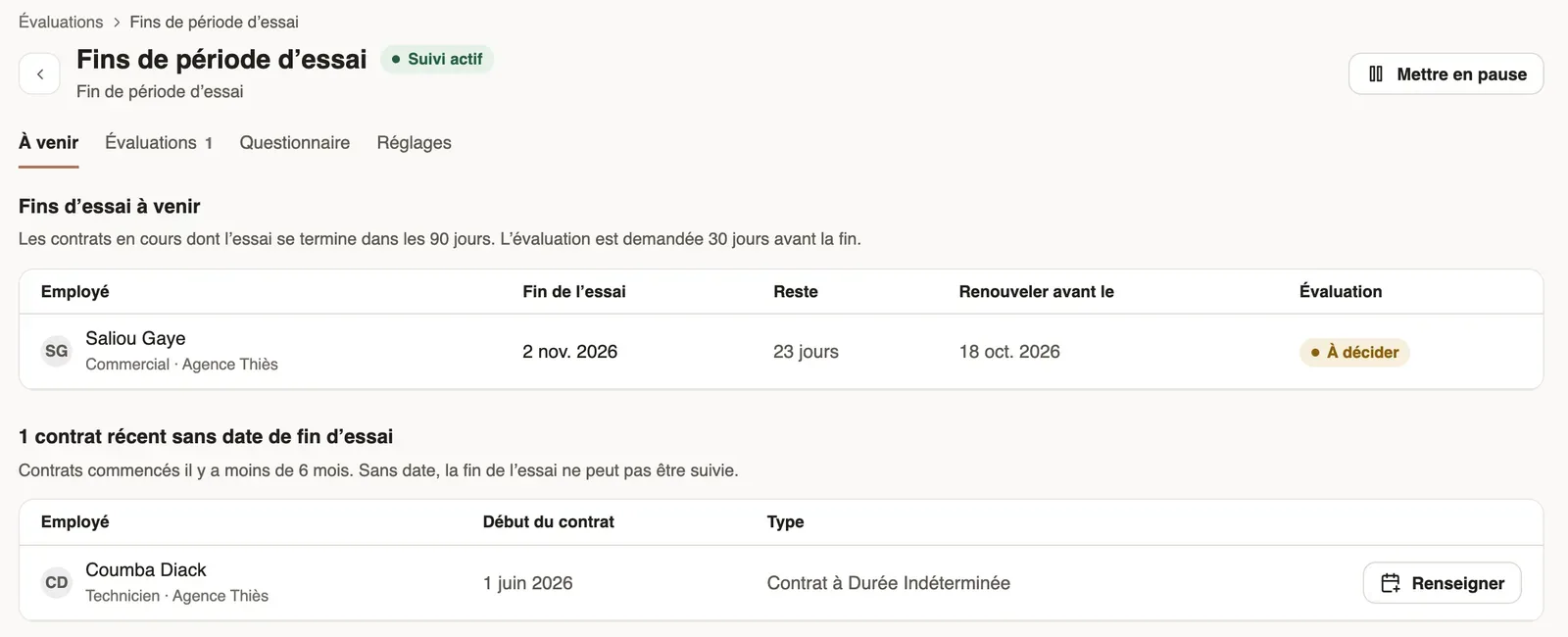
- In Requests → Evaluations, click the End of trial periods card.
- The Coming tab lists the trials ending within 90 days: end of trial, days left, Renew before date and the state of the evaluation. Click an evaluated row to open it.
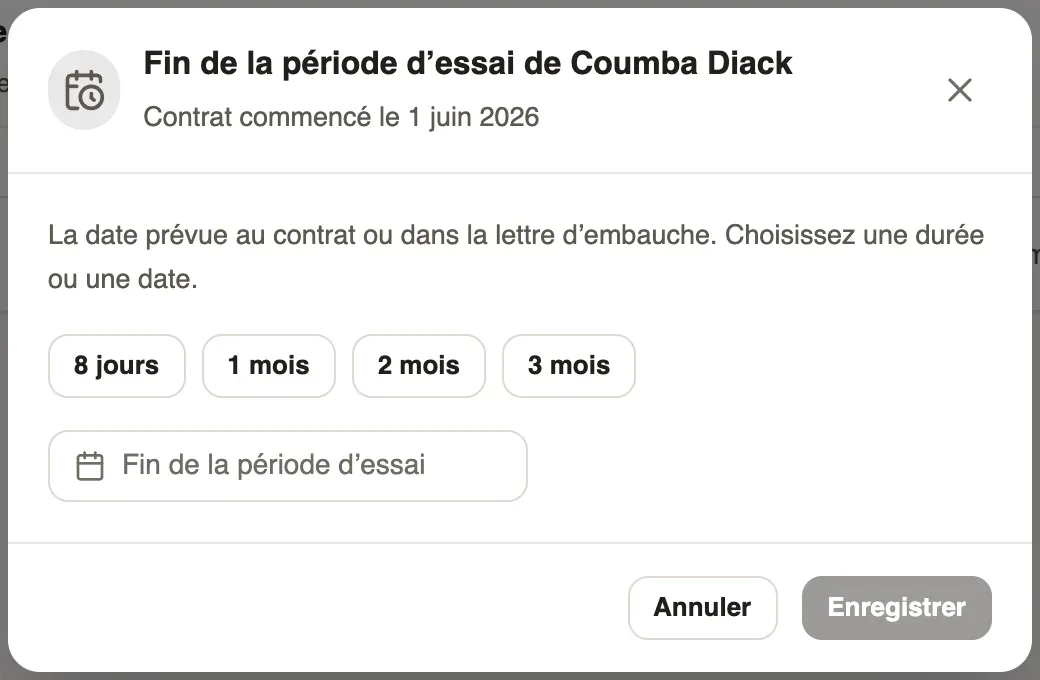
- Under recent contracts without an end of trial date, click Fill in, choose one of the Usual lengths or a date, then Save.
- The Evaluations tab gathers the evaluations asked; the decision is taken from each one (decide what follows a trial).
Good to know
- In Settings, Add each end of trial sets the lead time, from 15 to 90 days before the end; Pause stops the follow-up. The Rules of your country (renewal, notice to give) are kept up to date by Weplanify.
- Each morning, new ends of trial are added and managers told; HR is alerted before the renewal limit, then on the last day.
- Trial ends to decide also show in To do on the dashboard (handle from the dashboard).
- To evaluate at once the trials ending between two dates, create an End of trial period campaign (create a campaign).
Go further
Create or edit an employment contractIn Weplanify, record an employee's contract and pay so that they are included in payroll; only one contract can be running for them at a time.Decide what follows a trial periodIn Weplanify, after the manager’s opinion, confirm the employee, renew their trial or end it; ending a trial then opens their final departure.Handle requests from the dashboardIn Weplanify, the dashboard's To do list gathers absences, requests and clock-ins waiting for you: approve, decline or fix them without leaving the page.Create and launch an annual review campaignIn Weplanify, a campaign asks each manager to evaluate their team: choose who, the period and the deadline, check the draft, then launch it.Follow trial ends and annual reviewsIn Weplanify, the Evaluations module follows the ends of trial periods and runs annual reviews, from the manager who evaluates to the employee.