
Open an incident from a yes or no answer
In Weplanify, a Yes / No question in a checklist can open an incident on its own, with the severity you choose and the site and the photos of the answer.
In Weplanify, a Yes / No question in a report or checklist can open an incident as soon as it is answered a certain way: emergency exit blocked, extinguisher missing, leak found. The field team has nothing to report a second time.
Steps
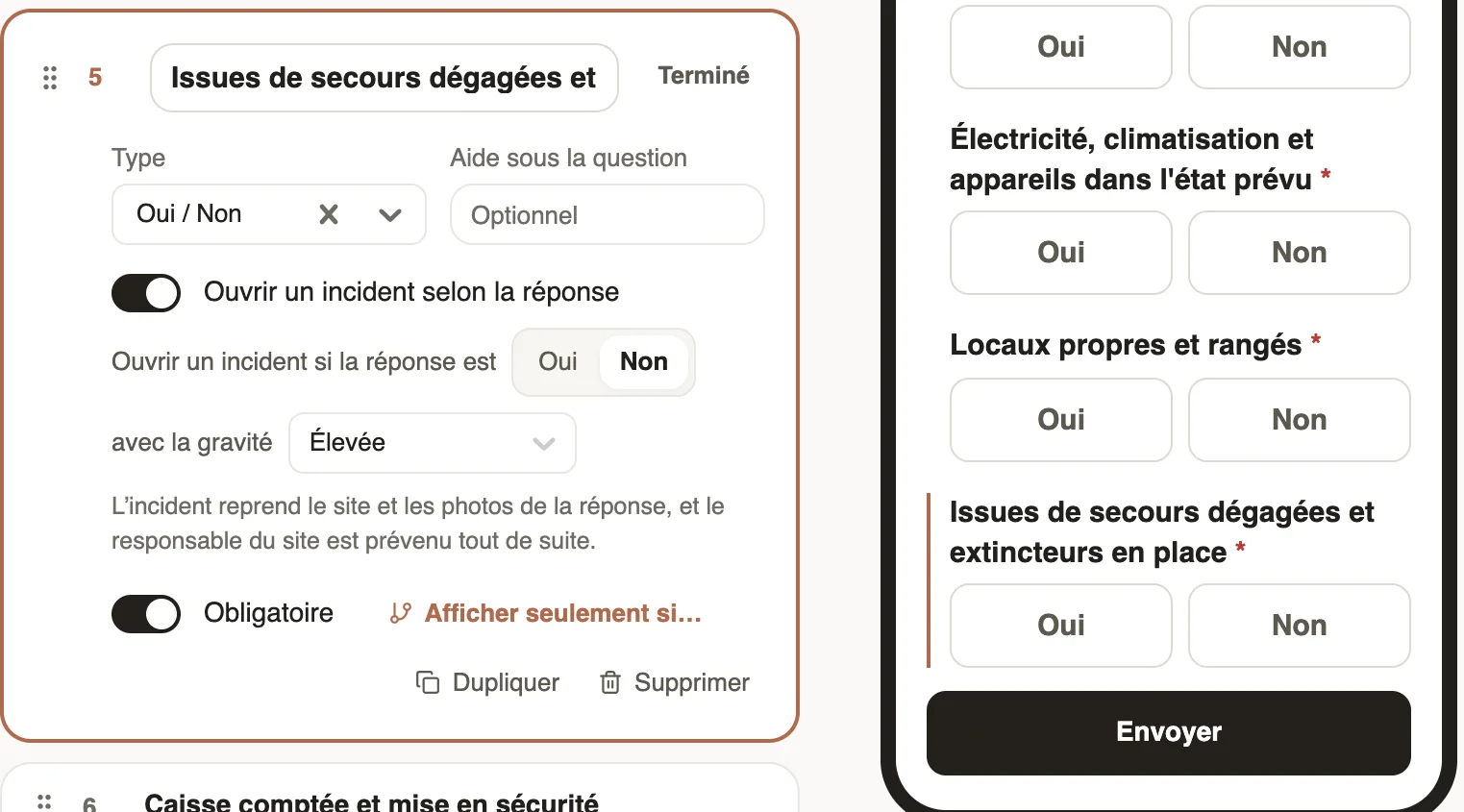
- Open the form, Questions tab, and click the Yes / No question.
- Turn on Open an incident depending on the answer.
- After Open an incident if the answer is, choose Yes or No, then the severity after with the severity: Low, Medium, High or Critical. Save your changes.
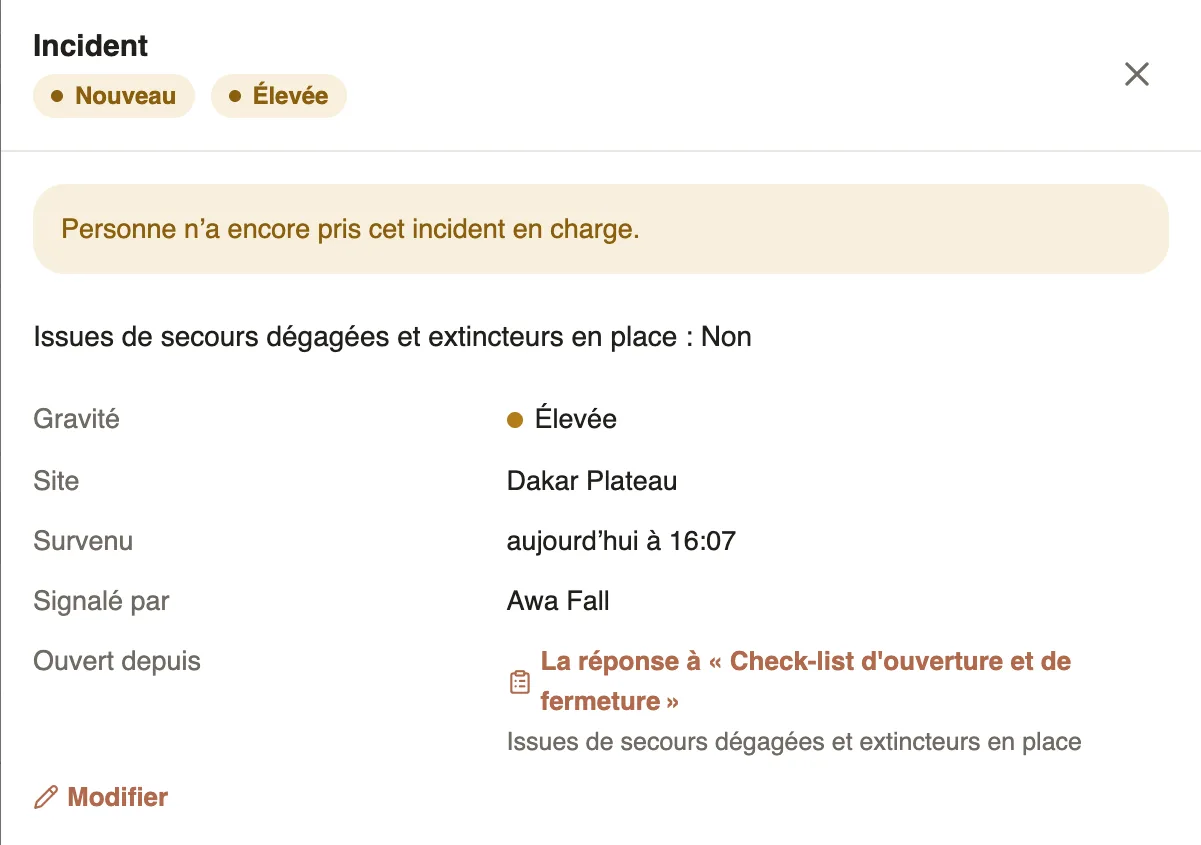
- When an employee gives that answer, the incident opens in their name, with the site and the photos of the answer, and the site manager is warned.
Good to know
- The incident repeats the question and the answer, for example "Emergency exits clear and extinguishers in place: No". Opened from leads to the original answer.
- A Daily site report created from the template already does it: "Yes" to Was there an incident? opens an incident with Medium severity, and the What happened? question, asked then, becomes its description.
- The option only exists on forms of the Reports and Checklists categories, for Yes / No questions.
- With the Critical severity, the critical alert goes out right away (critical alerts).
- What comes next happens in the incidents: take charge or assign.
Go further
Get notified of incidents and critical alertsIn Weplanify, each incident notifies the managers of its site; a critical incident also alerts the administrators right away, by notification and by e-mail.Take charge of an incident or assign itIn Weplanify, a manager takes charge of an incident or assigns it to an employee, corrects its details and talks with the reporter in the follow-up thread.Report and follow up incidents in the fieldIn Weplanify, an incident is reported in a few seconds and warns the site manager, who takes charge of it and then resolves it with a short note.Field reports and checklistsIn Weplanify, reports and checklists bring news from the field: they come back every day on your sites, show what was missed and can open an incident.Fill in a site checklistIn Weplanify, the employee fills in a checklist on site: they choose the site, answer Yes or No to each point, add a photo, sign it and then send the answer.