
Anonymous survey: what nobody sees
In Weplanify, an anonymous survey shows nobody who answered: no name or time in the answers or the export, and small groups are hidden from the results.
In Weplanify, a survey with Anonymous answers tells nobody who answered, not even administrators. Employees know it: a banner says so at the top of the survey.
Steps
- Before the first answer, turn on Anonymous answers in the form settings (create a survey).
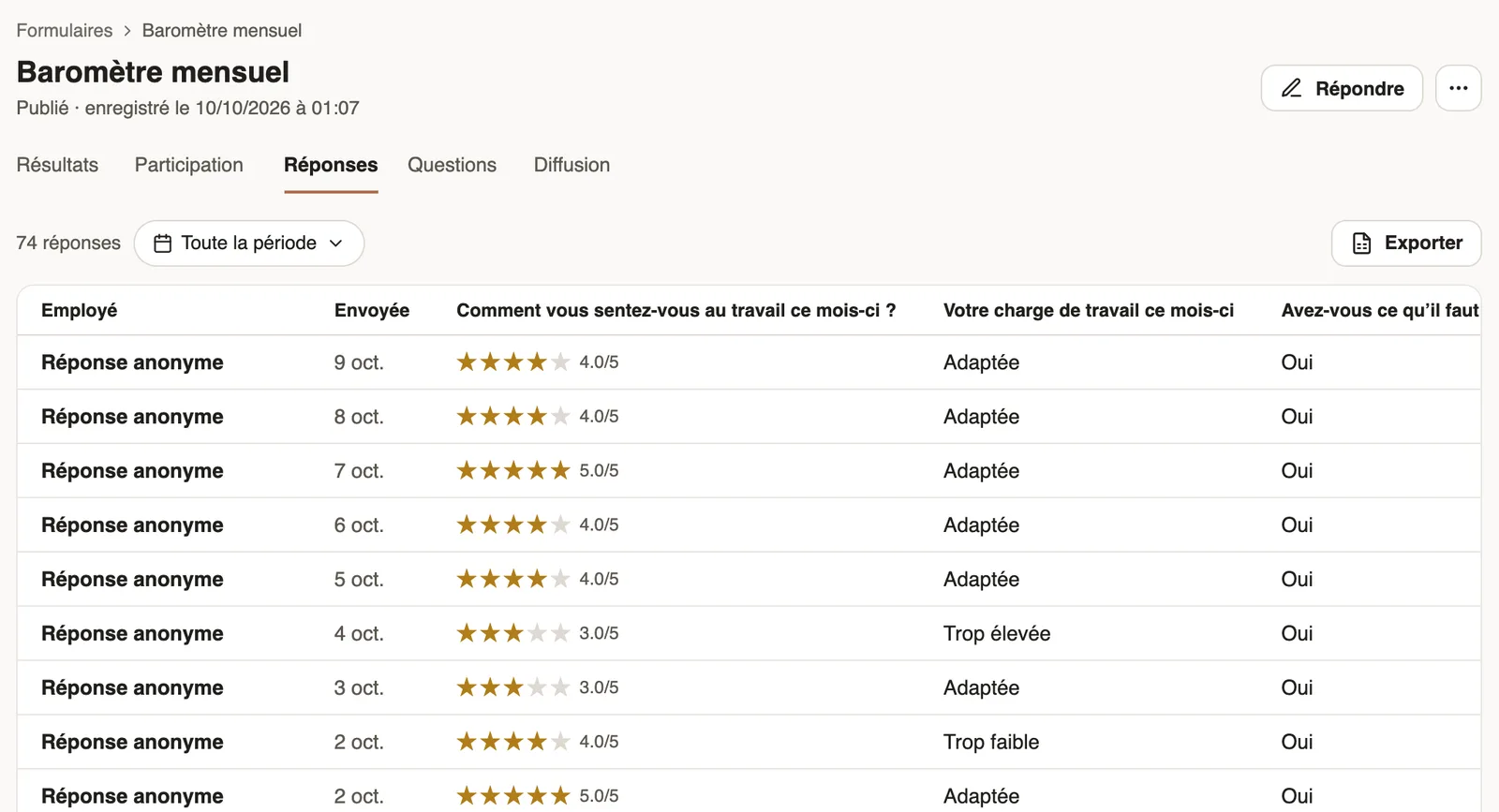
- In the Responses tab, each row is called Anonymous answer and only keeps the day it was sent: no name, job, site or time, and no search by name. A response's detail, its PDF and the Excel Export follow the same rule.
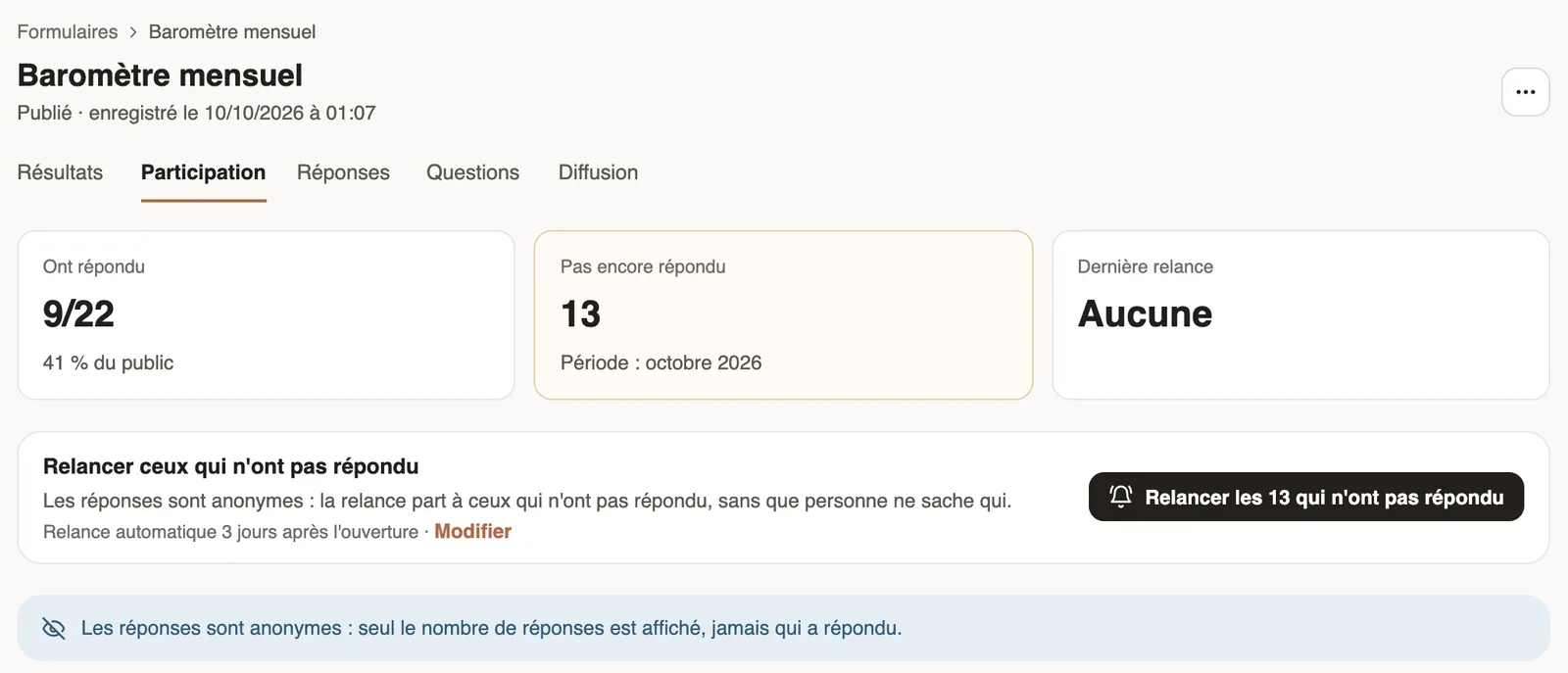
- In the Participation tab, only numbers show; Remind the … who have not answered reaches the right people without you knowing who.
- In Results, a site, a group, a period or a manager's team with fewer than 5 answers is hidden "to keep answers anonymous"; a row of the trend can also show hidden.
Good to know
- A manager only sees the Results tab, for their team, never an answer line by line.
- Anonymity can no longer change once the first answer is in.
- A quiz cannot be anonymous: its purpose is to follow each person's score (scores of a quiz).
- On a survey that comes back every month, the number of answers of the month is visible, but never who answered.
Go further
Create a one-off or monthly surveyIn Weplanify, create a survey from a template, choose whether each person answers once, every week or every month, and whether answers are anonymous.Follow the scores of a quizIn Weplanify, a quiz's Results and By employee tabs give the average score, the pass rate, the right answers per question and each employee's score.Ask your teams with a survey or a quizIn Weplanify, a survey collects your teams' views and a quiz checks what they know, with no approval step, plus results, participation and reminders.Follow participation and send remindersIn Weplanify, a survey's Participation tab shows who has answered and reminds those who have not, in one click or automatically after a few days.Read the results of a surveyIn Weplanify, a survey's Results tab shows participation, each numbered question as a chart, every free answer and, for a recurring survey, the trend.