
Set a minimum staffing level per site and job
In Weplanify, set how many people you need at the very least per site, job and shift, and be warned whenever the planning falls short of that level.
In Weplanify, a staffing target says how many people are needed at least, for example "3 storekeepers in the morning at Entrepôt Rufisque".
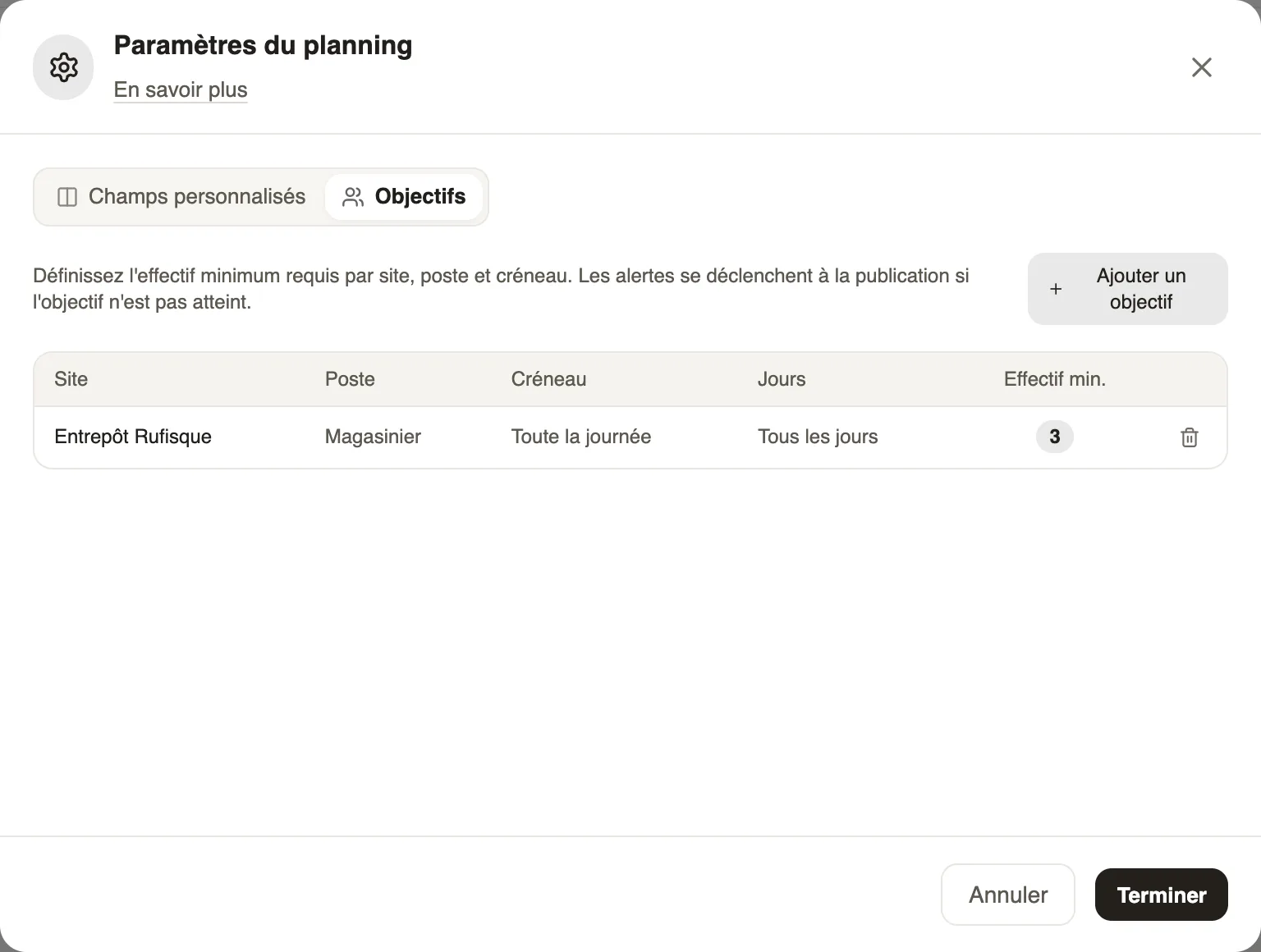
Steps
- Open Filters → Groups, job and display → Planning settings, Staffing tab.
- Click Add objective.
- Choose the site, the job (or all), the shift (or the whole day), the days and the Min. staff, then Save.
- Click Finish.
Good to know
- Targets are checked when publishing and with Refresh in the alerts: each day below the minimum gives a "Target not met" alert.
- Each workspace has its own targets.
Go further
Publish the planningIn Weplanify, publish the week so that your employees see their slots: as long as they are drafts, only the people managing the planning can see them.The planning alertsIn Weplanify, spot before publishing the slots in conflict (leave, double booking) and the days when the minimum staffing level is not reached.The planning's workspacesIn Weplanify, a workspace is a separate planning, per department or per site, with its own members, its own schedules and its own set of teams.Filter and sort the planningIn Weplanify, show only the site, group or job you care about, choose what the slots display, and then sort the employees in the order you need.