
Plan by teams and rotations
In Weplanify, plan a whole team at once and rotate your teams over the morning, evening and night shifts with a ready-made rotation model to start.
In Weplanify, a slot set for a team is set for each of its members; a rotation turns the teams over the shifts, week after week.
Steps
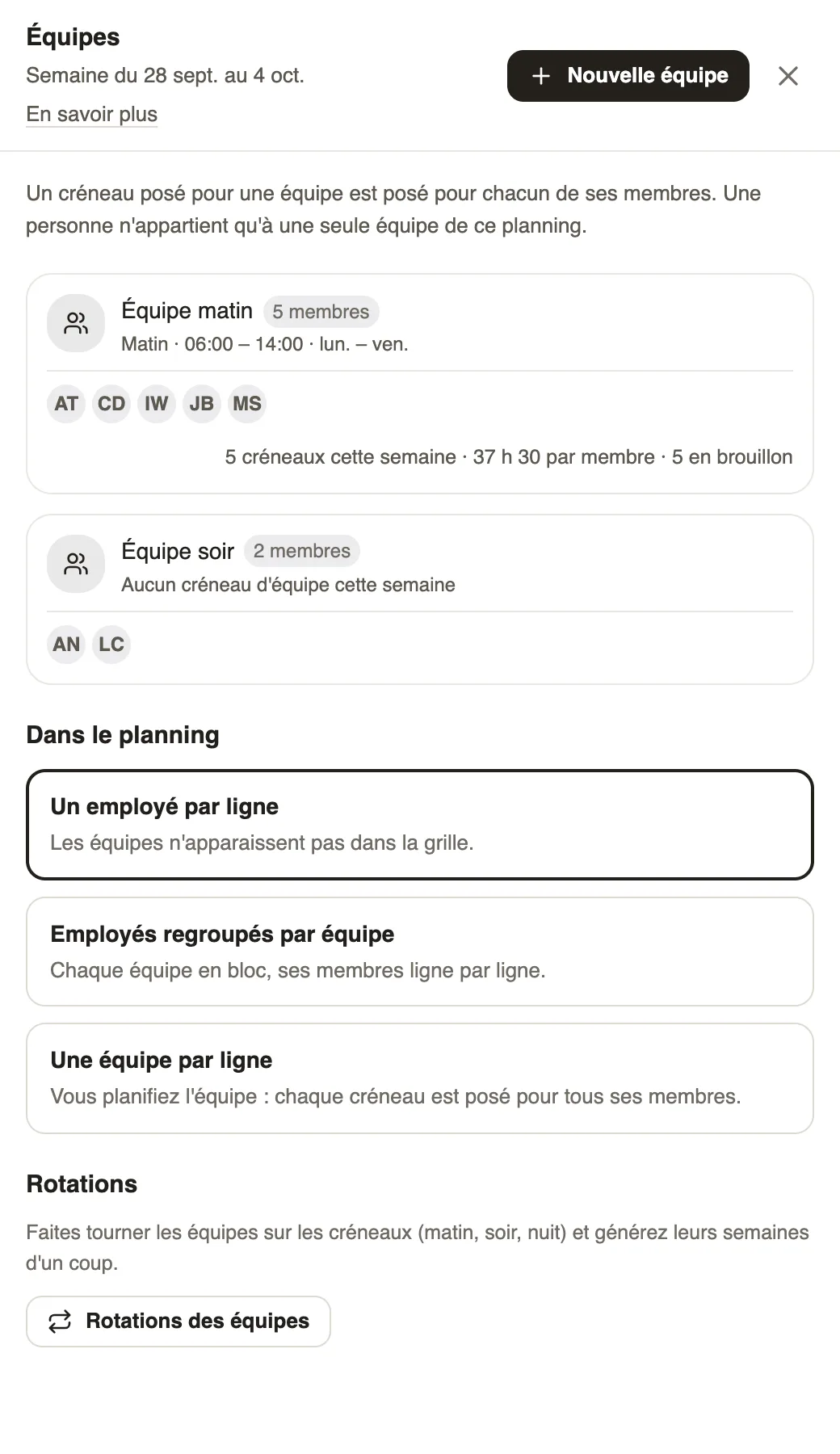
- Open the ⋯ menu → Teams, then New team: name and members.
- Under In the planning, choose the display: one employee per row, employees grouped by team, or one team per row (you then plan the team).
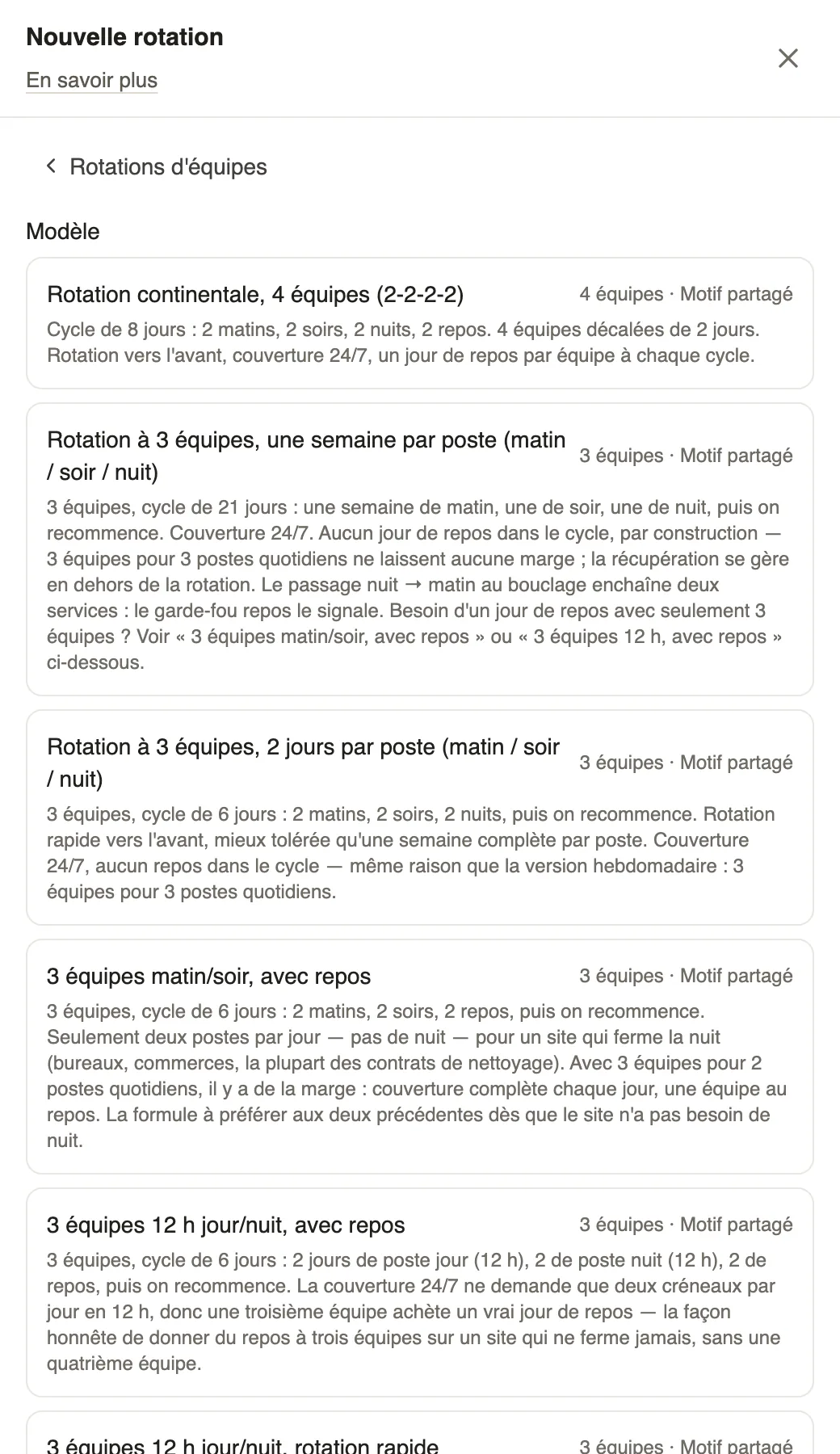
- Click Team rotations, then New rotation: choose a model (continental rotation with 4 teams, 3 teams morning / evening / night, 12-hour day / night…).
- Link the teams to the schedules, choose the start date and the period, then generate and publish.
Go further
Publish the planningIn Weplanify, publish the week so that your employees see their slots: as long as they are drafts, only the people managing the planning can see them.Act on several slots at onceIn Weplanify, select several slots to edit, copy or transfer them, turn them into an absence or into a team, or delete them all in a single go.Create and manage employee groupsIn Weplanify, a group brings employees together for planning, forms, approvals, bonuses and documents, and it also sets a manager's own scope.A group's page: members, managers and usesIn Weplanify, a group's page shows who is in it and why, who manages it and where it is used, before you change it or delete it altogether later.The planning's workspacesIn Weplanify, a workspace is a separate planning, per department or per site, with its own members, its own schedules and its own set of teams.Filter and sort the planningIn Weplanify, show only the site, group or job you care about, choose what the slots display, and then sort the employees in the order you need.Generate the week automaticallyIn Weplanify, let the planning share out mornings, evenings, nights and rest days according to your criteria: leave, night duty, fixed hours and days off.