
Set and follow an employee’s objectives
In Weplanify, the manager sets each objective with its due date during the evaluation, then says at the next evaluation whether it was met or not.
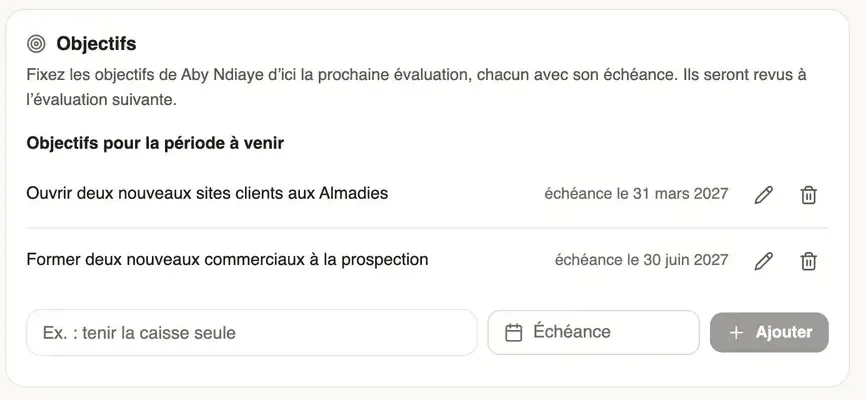
In Weplanify, the page where the manager fills in an evaluation has an Objectives block. The objectives set there are followed until the next evaluation, where their state is reviewed.
Steps
- Open the evaluation to do with Evaluate (fill in an evaluation).
- Under Previous objectives, if any, choose the state of each one: In progress, Met or Abandoned.
- Under Objectives for the coming period, write an objective (for example "Train two dock workers in receiving goods"), choose its Due date, then click Add.
- The pencil edits an objective, the bin deletes it. Then click Submit to send the evaluation.
Good to know
- Objectives can be changed while the evaluation is to do. Those of an earlier evaluation only change state and cannot be deleted.
- The employee reads their objectives with their evaluation, and they are printed on the signed document. They see the previous ones again in their self-assessment.
- On the record, the Objectives table lists them by state; an objective in progress past its due date shows as Late (the Evaluations tab).
- The "Objectives for the coming period" question of the questionnaire stays a free text for the context; only the objectives added here are followed.
- An end of mission does not set objectives.
Go further
Fill in an evaluation as a managerIn Weplanify, a manager finds in Evaluations the people of their team to evaluate, sets their objectives and answers the questionnaire before the deadline.The Evaluations tab of the employee recordIn Weplanify, the Evaluations tab of the record gathers an employee’s current trial period, last rating, followed objectives and full history.Follow ends of trial and annual reviewsIn Weplanify, the Evaluations module follows ends of trial and runs annual reviews and ends of mission, from the manager who evaluates to the employee.Adapt the questionnaire of a campaignIn Weplanify, each campaign starts from a ready-made questionnaire: add, edit or move questions before the first answer comes in from a manager.